
Skip to content
View in the app

A better way to browse. Learn more.

tả pí lù

A full-screen app on your home screen with push notifications, badges and more.

To install this app on iOS and iPadOS
  1. Tap the Share icon in Safari
  2. Scroll the menu and tap Add to Home Screen.
  3. Tap Add in the top-right corner.
To install this app on Android
  1. Tap the 3-dot menu (⋮) in the top-right corner of the browser.
  2. Tap Add to Home screen or Install app.
  3. Confirm by tapping Install.
ĐĂNG KÝ THÀNH VIÊN

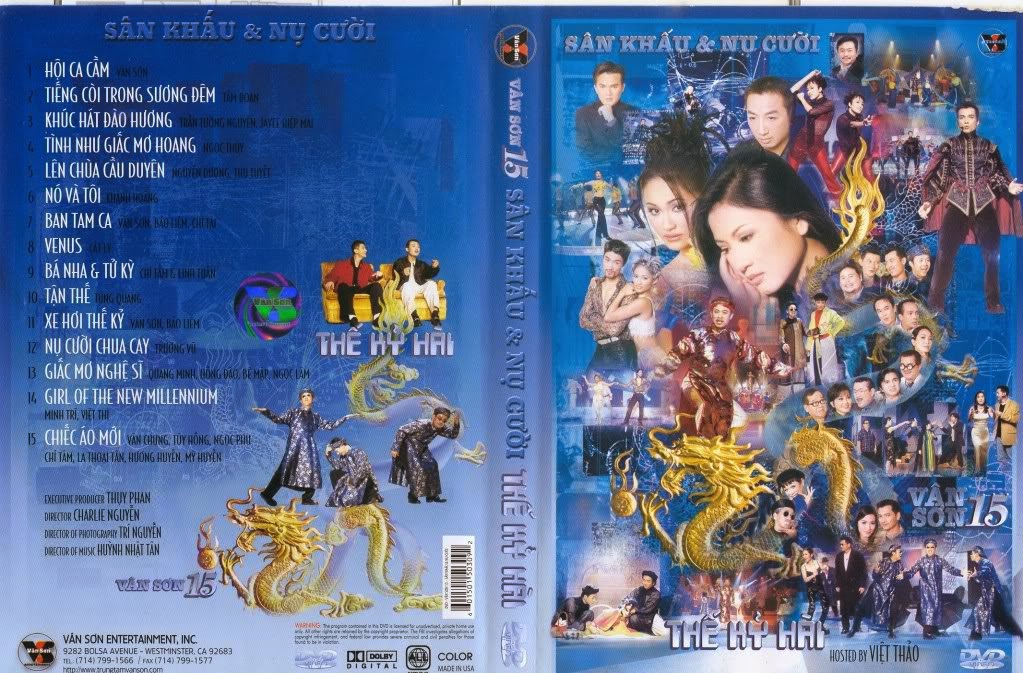
Vân Sơn 15 - Thế Kỷ Hài

1 Screenshot

  1. Hội Ca Cầm - Vân Sơn
  2. Tiếng Còi Trong Sương Đêm (You This) - Tâm Đoan
  3. Khúc Hát Đào Hương - Trần Tường Nguyên, Javee Hiệp Mai
  4. Tình Như Giấc Mơ Hoang - Ngọc Thúy
  5. Lên Chùa Cầu Duyên - Nguyễn Dương, Thu Tuyết
  6. Nó Và Tôi - Khánh Hoàng
  7. Ban Tam Ca - Vân Sơn, Bảo Liêm, Chí Tài
  8. Venus - Cát Ly
  9. Bá Nha, Tử Kỳ - Chí Tâm, Linh Tuấn
  10. Tận Thế - Lương Tùng Quang
  11. Xe Hơi Thế Kỷ - Vân Sơn, Bảo Liêm
  12. Nụ cười Chua Cay - Trường Vũ
  13. Giấc Mơ Nghệ sĩ - Quang Minh, Hồng Đào, Bé Mập, Ngọc Lâm
  14. Girl Of The New Millennium - Minh Trí, Việt Thi
  15. Chiếc Áo Mới - Văn Chung, Túy Hồng, Ngọc Phu, Chí Tâm, La Thoại Tân, Hương Huyền, Mỹ Huyền

Account

Navigation

Search

Search

Configure browser push notifications

Chrome (Android)
  1. Tap the lock icon next to the address bar.
  2. Tap Permissions → Notifications.
  3. Adjust your preference.
Chrome (Desktop)
  1. Click the padlock icon in the address bar.
  2. Select Site settings.
  3. Find Notifications and adjust your preference.