
Skip to content
View in the app

A better way to browse. Learn more.

tả pí lù

A full-screen app on your home screen with push notifications, badges and more.

To install this app on iOS and iPadOS
  1. Tap the Share icon in Safari
  2. Scroll the menu and tap Add to Home Screen.
  3. Tap Add in the top-right corner.
To install this app on Android
  1. Tap the 3-dot menu (⋮) in the top-right corner of the browser.
  2. Tap Add to Home screen or Install app.
  3. Confirm by tapping Install.
ĐĂNG KÝ THÀNH VIÊN

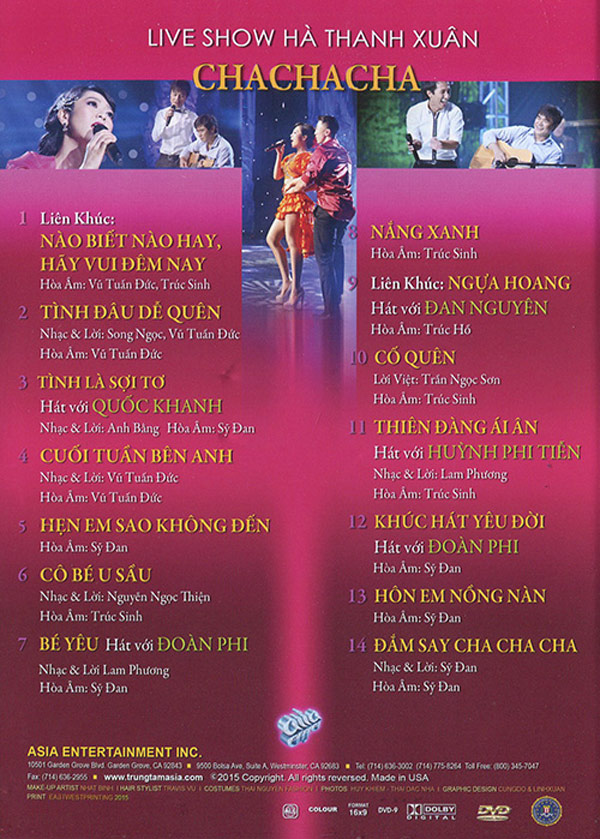
Live Show Hà Thanh Xuân - ChaChaCha

1 Screenshot

1. Liên Khúc: Nào Biết Nào Hay, Hãy Vui Đêm Nay - Hà Thanh Xuân
2. Tình Đâu Dễ Quên - Hà Thanh Xuân
3. Tình Là Sợi Tơ - Hà Thanh Xuân, Quốc Khanh
4. Cuối Tuần Bên Anh - Hà Thanh Xuân
5. Hẹn Em Sao Không Đến - Hà Thanh Xuân
6. Cô Bé U Sầu - Hà Thanh Xuân
7. Bé Yêu - Hà Thanh Xuân, Đoàn Phi
8. Nắng Xanh - Hà Thanh Xuân
9. Liên Khúc: Ngựa Hoang - Hà Thanh Xuân, Đan Nguyên
10. Cố Quên - Hà Thanh Xuân
11. Thiên Đàn Ái Ân - Hà Thanh Xuân, Huỳnh Phi Tiễn
12. Khúc Hát Yêu Đời - Hà Thanh Xuân, Đoàn Phi
13. Hôn Em Nồng Nàng - Hà Thanh Xuân
14. Đắm Say Chachacha - Hà Thanh Xuân

Account

Navigation

Search

Search

Configure browser push notifications

Chrome (Android)
  1. Tap the lock icon next to the address bar.
  2. Tap Permissions → Notifications.
  3. Adjust your preference.
Chrome (Desktop)
  1. Click the padlock icon in the address bar.
  2. Select Site settings.
  3. Find Notifications and adjust your preference.