
Skip to content
View in the app

A better way to browse. Learn more.

tả pí lù

A full-screen app on your home screen with push notifications, badges and more.

To install this app on iOS and iPadOS
  1. Tap the Share icon in Safari
  2. Scroll the menu and tap Add to Home Screen.
  3. Tap Add in the top-right corner.
To install this app on Android
  1. Tap the 3-dot menu (⋮) in the top-right corner of the browser.
  2. Tap Add to Home screen or Install app.
  3. Confirm by tapping Install.
ĐĂNG KÝ THÀNH VIÊN

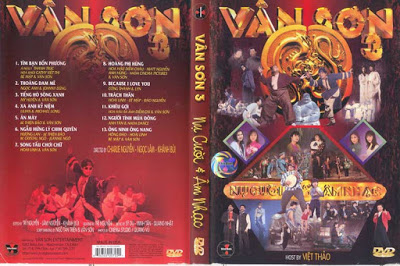
Vân Sơn 3 - Nụ Cười & Âm Nhạc 3

1 Screenshot

  1. Tình Bạn Bốn Phương - Thanh Trúc, Việt Thi, Bé Mập & Vân Sơn
  2. Thoáng Đam Mê - Ngọc Anh & Johnny Dũng
  3. Tiếng Hò Sông Xanh - Mỹ Huyền & Vân Sơn
  4. Xa Anh Kỷ Niệm - Lilian & Michael Long
  5. Ăn Mày - Thiện Bảo & Vân Sơn
  6. Ngẫu Hứng Lý Chim Quyên - Hương Lan, Thiện Bảo, Crystal Ngô, Jeannie Ngô
  7. Song Tấu Chơi Chữ - Hoài Linh & Vân Sơn
  8. Hoàng Phi Hùng - Diễm Châu, Matt Nguyễn, Anh Hùng, Cinema Pictures & Vân Sơn
  9. Because I Love You - Công Thành & Lynn
  10. Trách Thân - Hoài Linh, Út Mập, Đào Nguyễn
  11. Khêu gợi - Diễm Chi & Vân Sơn
  12. Người Tình Mùa Đông - Anh Tân & Dance
  13. Ông Ninh Ông Nang - Hồng Đào, Hoài Linh, Bé Mập & Vân Sơn

Account

Navigation

Search

Search

Configure browser push notifications

Chrome (Android)
  1. Tap the lock icon next to the address bar.
  2. Tap Permissions → Notifications.
  3. Adjust your preference.
Chrome (Desktop)
  1. Click the padlock icon in the address bar.
  2. Select Site settings.
  3. Find Notifications and adjust your preference.