
Skip to content
View in the app

A better way to browse. Learn more.

tả pí lù

A full-screen app on your home screen with push notifications, badges and more.

To install this app on iOS and iPadOS
  1. Tap the Share icon in Safari
  2. Scroll the menu and tap Add to Home Screen.
  3. Tap Add in the top-right corner.
To install this app on Android
  1. Tap the 3-dot menu (⋮) in the top-right corner of the browser.
  2. Tap Add to Home screen or Install app.
  3. Confirm by tapping Install.
ĐĂNG KÝ THÀNH VIÊN

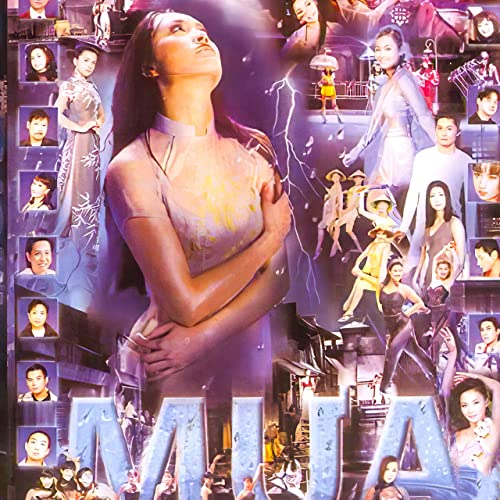
Asia 26 - Mưa

1 Screenshot

01.Mưa Đêm Độc Hành - Shayla
02.Em Đến Thăm Anh Một Chiều Mưa - Vũ Khanh
03.Mưa Rừng - Phi Nhung
04.Rhythm Of The Rain - Trish Thùy Trang
05.Lời Dối Gian Chân Thành - Lâm Nhật Tiến
06.Bài Luân Vũ Mùa Mưa - Elvis Phương & Thanh Lan
07.Không Biết Em Bây Giờ - Gia Huy
08.Hận Tình Trong Mưa - Tú Quyên
09.Ngày Mưa Trong Đời - Sỹ Đan
10.Ai Đi Ngoài Sương Gió - Diệp Thanh Thanh
11.Mưa Đêm Tỉnh Nhỏ - Trường Vũ
12.Giờ Đã Không Còn Nữa - Lâm Thúy Vân
13.Mưa - Duy Linh
14.Phút Cuối - Chế Linh & Thanh Tuyền
15.Tình Khúc Chiều Mưa - Thanh Trúc
16.Hai Mùa Mưa - Bảo Tuấn
17.Rainy Nights - Jacqueline Thụy Trâm
18.Mưa Trên Phố Huế - Hoàng Oanh
19.Mưa Trong Mắt Em - Vũ Tuấn Đức
20.Những Giọt Mưa Sầu - Yến Phương
21.Giã Từ Đêm Mưa - Lê Tâm

Account

Navigation

Search

Search

Configure browser push notifications

Chrome (Android)
  1. Tap the lock icon next to the address bar.
  2. Tap Permissions → Notifications.
  3. Adjust your preference.
Chrome (Desktop)
  1. Click the padlock icon in the address bar.
  2. Select Site settings.
  3. Find Notifications and adjust your preference.