
Skip to content
View in the app

A better way to browse. Learn more.

tả pí lù

A full-screen app on your home screen with push notifications, badges and more.

To install this app on iOS and iPadOS
  1. Tap the Share icon in Safari
  2. Scroll the menu and tap Add to Home Screen.
  3. Tap Add in the top-right corner.
To install this app on Android
  1. Tap the 3-dot menu (⋮) in the top-right corner of the browser.
  2. Tap Add to Home screen or Install app.
  3. Confirm by tapping Install.
ĐĂNG KÝ THÀNH VIÊN

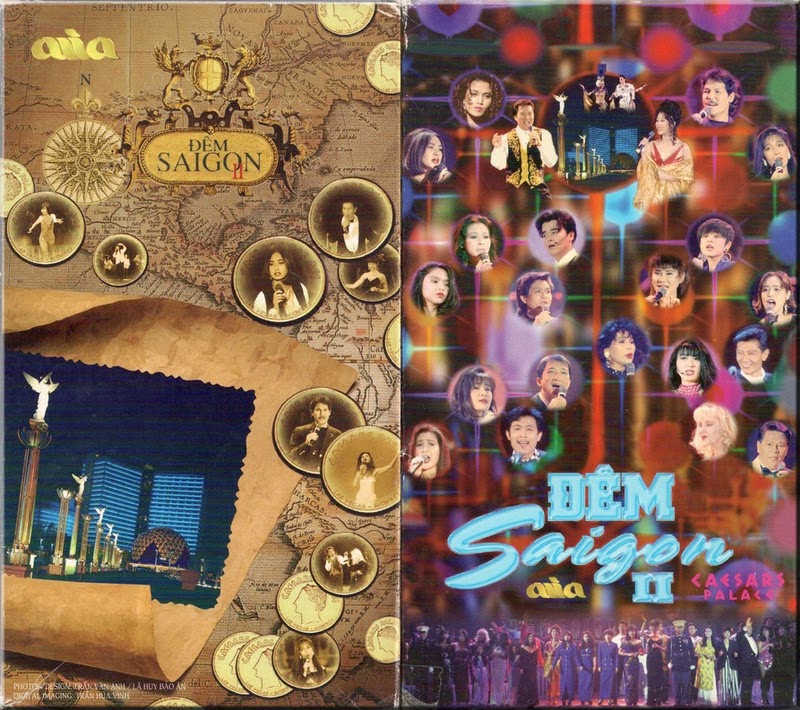
Asia 3 - Đêm Sài Gòn 2 - In Las Vegas 2, Caesars Palace

1 Screenshot

01. Hạ Trắng - Khánh Ly
02. Mùa Thu Trong Mưa - Nini, Vina, Hạ Vy
03. It's You (the One I Love) - Nini, Vina, Hạ Vy
04. Chuyện Hẹn Hò - Nhật Trường
05. Khi Có Chàng - Lâm Thúy Vân
06. Vết Thù Trên Lưng Ngựa Hoang - Kenny Thái
07. Bao Giờ Biết Tương Tư - Thùy Dương
08. Sầu Đông - Công Thành, Lynn
09. Rồi Mai Tôi Đưa Em - Vũ Khanh
10. Khong Li - Trizzie Phương Trinh
11. Chuyện Tình Không Suy Tư - Băng Châu
12. Duyên Quê - Sơn Tuyền
13. Con Tim Đa Tình - Quỳnh Hương
14. Chuyện Giàn Thiên Lý - Mạnh Đình
15. Một Nữa Đời Em - Ý Lan
16. Mộng Dưới Hoa - Anh Quý
17. Mưa Bụi - Mạnh Đình
18. Ánh Trăng Tàn - Hạ Vy
19. Tôi Vẫn Cô Đơn - Mạnh Đình
20. Yêu - Thùy Dương

Account

Navigation

Search

Search

Configure browser push notifications

Chrome (Android)
  1. Tap the lock icon next to the address bar.
  2. Tap Permissions → Notifications.
  3. Adjust your preference.
Chrome (Desktop)
  1. Click the padlock icon in the address bar.
  2. Select Site settings.
  3. Find Notifications and adjust your preference.