
Skip to content
View in the app

A better way to browse. Learn more.

tả pí lù

A full-screen app on your home screen with push notifications, badges and more.

To install this app on iOS and iPadOS
  1. Tap the Share icon in Safari
  2. Scroll the menu and tap Add to Home Screen.
  3. Tap Add in the top-right corner.
To install this app on Android
  1. Tap the 3-dot menu (⋮) in the top-right corner of the browser.
  2. Tap Add to Home screen or Install app.
  3. Confirm by tapping Install.
ĐĂNG KÝ THÀNH VIÊN

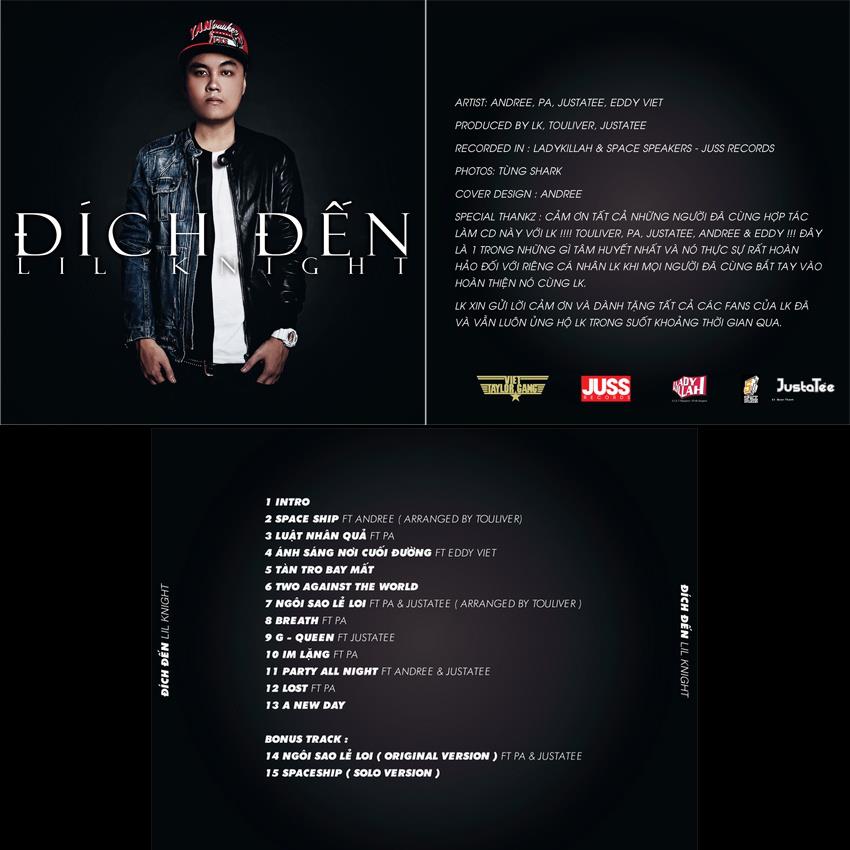
Lil Knight - Đích Đến

(0 reviews)

1 Screenshot

01 - Intro (LK)
02 - Spaceship (LK, Andree Right Hand)
03 - Luật Nhân Quả (LK, P.A)
04 - Ánh Sáng Nơi Cuối Con Đường (LK, Eddy Việt)
05 - Tàn Tro Bay Mất (LK)
06 - Two Against The World (LK)
07 - Ngôi Sao Lẻ Loi (LK, JustaTee, P.A)
08 - Breath (LK, P.A)
09 - G-Queen (LK, JustaTee)
10 - Im Lặng (LK, P.A)
11 - Party All Night (LK, JustaTee, Andree Right Hand)
12 - A New Day (LK)
13 - Ngôi Sao Lẻ Loi - Original Version (LK, JustaTee, P.A)
14 - Spaceship - Solo Version (LK)

User Feedback

Join the conversation

You can post now and register later. If you have an account, sign in now to post with your account.
Note: Your post will require moderator approval before it will be visible.

Guest
  • This will not be shown to other users.

  • Your review Required
    Add a review...

Account

Navigation

Search

Search

Configure browser push notifications

Chrome (Android)
  1. Tap the lock icon next to the address bar.
  2. Tap Permissions → Notifications.
  3. Adjust your preference.
Chrome (Desktop)
  1. Click the padlock icon in the address bar.
  2. Select Site settings.
  3. Find Notifications and adjust your preference.